Weekly
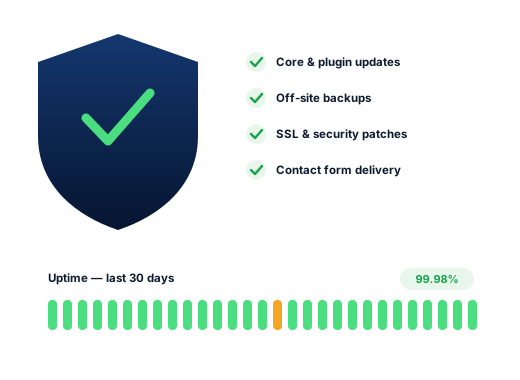
Updates and backupsPlugin, theme and core updates applied after a fresh backup, with major WordPress versions held back until the plugins you rely on support them. Uptime is watched around the clock.

Website Maintenance
Updates, backups, security and quick content changes for Yellowknife sites, so hours, packages, event dates and notices stay right from aurora-viewing season to the long June evenings.

Few places swing through the year like Yellowknife, Northwest Territories. January averages −26 °C, the city gets about 155 cm of snow a year, and December daylight lasts roughly five hours; by June there is light for about twenty. Businesses follow that swing. Aurora-viewing packages run through the November to March peak, the winter road sets the pace for suppliers from late January, Snowking and the Long John Jamboree fill March, and Folk on the Rocks arrives in July.
Each of those shifts changes something on a website: hours, prices, package dates, what is still bookable and what is sold out. Many customers check the site before they call, and visitors planning from overseas may never call at all. A page still advertising last winter’s packages, or summer hours in February, tells them nobody is minding the shop.
Under the pages sits software that keeps ageing. WordPress core, the theme and the plugins all update on their own schedules, written by different people. Left alone through a long winter, one of them eventually breaks something: a reservation calendar that stops appearing on phones, or a contact form that thanks the visitor while the message goes nowhere. Routine care spots both early.
Search demand
Nobody searches for website upkeep in Yellowknife. These October 2026 Google.ca suggestions show something more useful: the dates and conditions that make yesterday’s page wrong today.
Broken sites are usually discovered by customers, after weeks of lost inquiries. Routine care finds problems while they are small and quick to fix. Yellowknife sites also get a same-day notice routine: if extreme cold, smoke, a power outage or a road closure changes your plans, send us a message and a clear notice goes up on the site as fast as we can manage.
Silent problems
Each of these can go unseen for months, because the home page still looks normal.
Aurora-viewing dates from the previous winter, a summer price list in January, or festival dates from a year ago. Visitors take it as a sign the business is careless or closed, and book elsewhere.
A confirmation appears on screen, but the email lands in a spam folder or never leaves the server, and no one knows inquiries are missing. Sending mail through a proper delivery service and testing it every month closes the gap.
After a plugin or core update, a reservation calendar may refuse to load on mobile. Staff checking from office computers see nothing wrong, while overseas visitors on phones give up and book another operator.
The person who set the site up has left town or changed jobs, the hosting password went with them, and renewal notices land in an inbox nobody opens. We track down each account, confirm who controls it and move it into your company’s name.
Through an outdated plugin, an attacker plants pages full of spam links. Visitors never land on them, but Google crawls them, and your rankings drift down for no obvious reason.
The care schedule
Different parts of a site need attention at different rhythms. Spreading the work across them keeps every task small.
Plugin, theme and core updates applied after a fresh backup, with major WordPress versions held back until the plugins you rely on support them. Uptime is watched around the clock.
A test message through every form and booking tool, a malware scan, a sweep for unused accounts and plugins, and a quick look at the key pages on a phone.
Hours, prices, packages and event dates switched over as the seasons turn: aurora-viewing season, the winter road months, summer on the lake.
Domain and certificate renewals confirmed, the server’s PHP version reviewed with your host, and a full restore from backup rehearsed so we know the copies work.
The work
Core, theme and plugin updates run on a regular cycle, each preceded by a full backup and followed by a check of the main pages on mobile.
Files and database saved somewhere other than your hosting account, and restored as a test from time to time to prove they are usable.
Malware scans, login protection, removal of old user accounts, and urgent patches as soon as a plugin vulnerability is announced.
The site is pinged around the clock, and if it stops answering, someone on our side hears about it within minutes.
Next winter’s packages, a festival weekend, new hours, a revised rate sheet or a new face behind the counter: email the details and we publish them.
A clear banner for closures caused by cold, smoke, power outages or road conditions, taken down again once you are back to normal.
Done carefully
The standards we keep on every account, written down so you can hold us to them.
We look after the site through a login of our own. The hosting, the domain and the main administrator account remain yours, and you can remove us at any time.
Maintaining a site and owning it are different things, and we keep them separate. Everyday upkeep is part of each monthly plan. Neglected or compromised sites need a one-off clean-up first, priced in writing before we touch anything.
Ask us about your business
How we work
From the first review of your listing to a brief report each month that takes minutes to read.
Your site and listing get a close read, and we test what someone sees searching from Downtown, Range Lake, Niven Lake or Kam Lake.
Together we choose the phrases that bring paying customers and give each one a home: a page, or a change to the listing.
Listing, website, content and directory work, starting with the changes most likely to help quickly.
Every month you receive the calls, messages and rankings we measured, plus the plan for the month ahead.
Questions
Day-to-day upkeep rides along with each tier, Starter at $300, Growth at $500 or Pro at $700 monthly, charged in CAD and cancellable any month. Sites that have fallen badly behind, or been broken into, get a separate one-off repair price once we have inspected the damage.
Yes. Text or email us and a plain banner appears at the head of every page as soon as one of us is free, along with a nudge to set special hours on Google. Once you reopen, it disappears.
Yes. Give us next season’s dates, prices and inclusions ahead of time and we schedule the changes, including the opening hours in the site’s structured data, so the switch happens on the right day.
Usually. We start with an inventory: what the site runs on, which plugins it uses, who owns the domain and hosting, and what is insecure or out of date. A plan and a catch-up price follow from that.
Yes, as a one-off job. We strip out whatever was injected, find and close the weakness that let it in, put back clean copies of your files, and, if Google has flagged the site, file a review request once it is clean.
No. The hosting company bills you directly and the account stays in your name, which keeps you in control. If your current host is unreliable, we can suggest a sounder one and handle the move with you.
Further reading
Further articles on this subject for Yellowknife business owners.
Each service stands on its own, and plenty of clients start with only one.
People in town look for each trade differently, so each industry page has research of its own.
Request a free audit showing where you appear from Downtown to Kam Lake, which competitors rank above you, and the fixes worth making first.
Send me the free audit